


Validity of credentials and certificates - a new feature in tomHRM
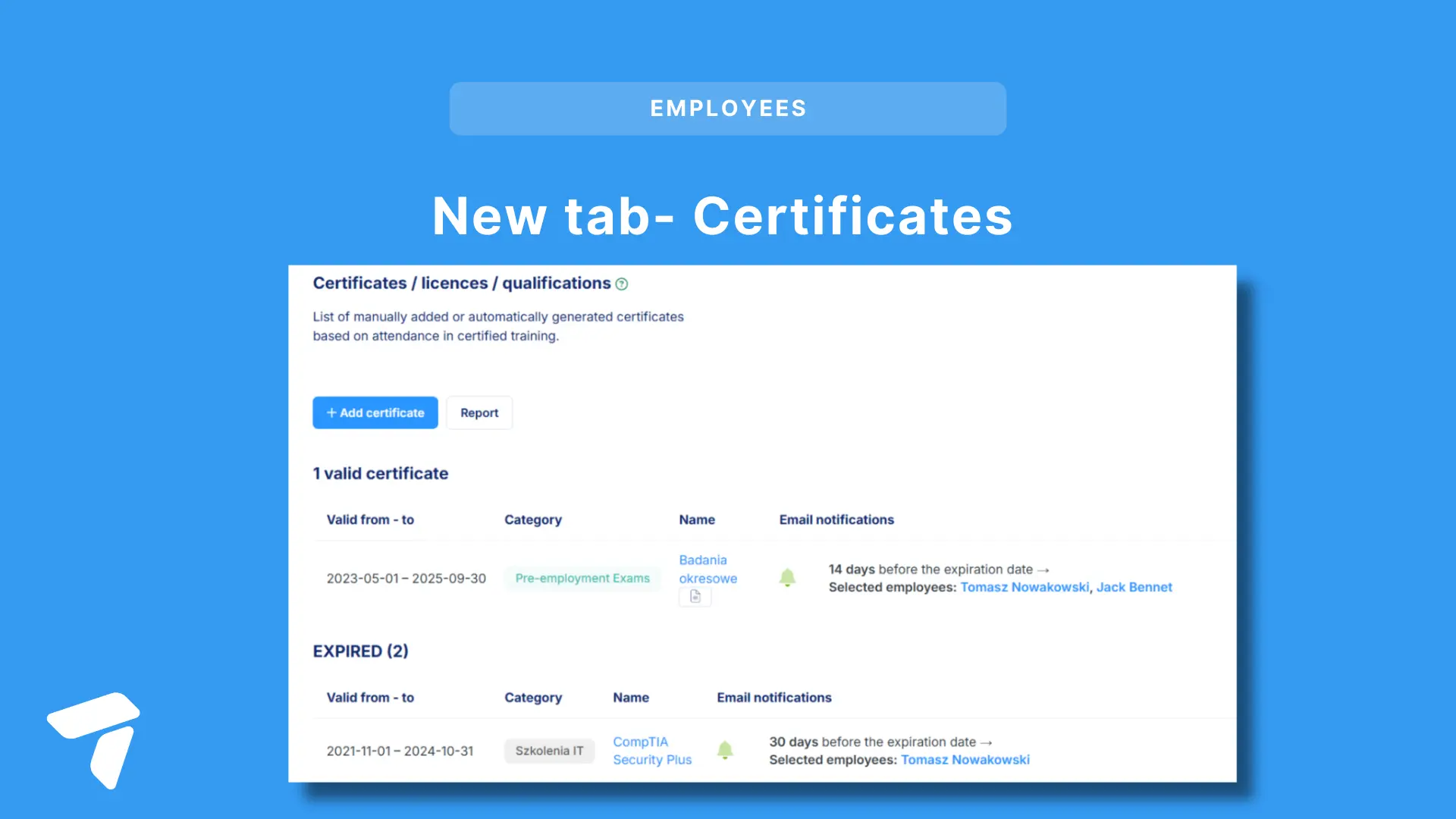
Even if you have a memory like an elephant, keeping track of when each employee’s certifications, licenses, permits, or medical examinations expire can give you a headache. But what if your HR system could handle this for you? And automatically notify you about upcoming expiration dates in advance? tomHRM can do that!
What’s more, this is a core feature included in every tomHRM module, available to all users of the system at no additional cost!
Automatic Expiration Reminders – How Does It Work?
In each employee’s profile, we’ve added a Certificates tab. This allows you to store an unlimited number of certificates for every employee.
Each certificate can have an expiration date assigned to it.
You can also set up an email reminder for each certificate, which can be sent to:
- The employee’s manager,
- The department manager,
- Any other person (or email address).
You have full flexibility in deciding how far in advance you’d like to receive the reminder.
If your organization is very large and you’re worried about receiving too many email reminders, you can also make use of the Certificate Validity Report. This report provides an overview of all upcoming expirations and allows you to export the data to an XLS file.
What Can the Certificates Feature in tomHRM Be Used For?
We named this feature "Certificates," but remember, this simple and free functionality offers incredible versatility. You can use it in a variety of areas, such as:
- Tracking the expiration of permits required to perform job duties (e.g., SEP qualifications),
- Monitoring the expiration of licenses and permits (e.g., ADR licenses for transporting hazardous materials for drivers),
- Ensuring employees update product or technical knowledge that needs periodic refreshment,
- Keeping track of work permit validity for employees from outside your country,
- Managing the expiration of health and safety training or first aid certifications,
- Monitoring medical check-up deadlines,
- And many more uses!
The Certificates tab is also an essential component of a positive Employee Experience – employees can access all their skill confirmations in one place.
Automatic Certificate Generation in the Training Management Module
Do you use the tomHRM Training Management module? Now, when creating a training session, you can check the "Generate Certificate" option, and the system will automatically add a certificate to the profile of each employee who has completed the training, along with its expiration date.
You can also generate certificates without expiration dates so that both the employee and their supervisors know what qualifications the employee holds.
If you love this feature but aren’t using the tomHRM system yet – don’t wait and contact us right away! 🚀